Need to update or remove a link? Deleting links from your hoo.be page is quick and easy!
How to Delete a Link
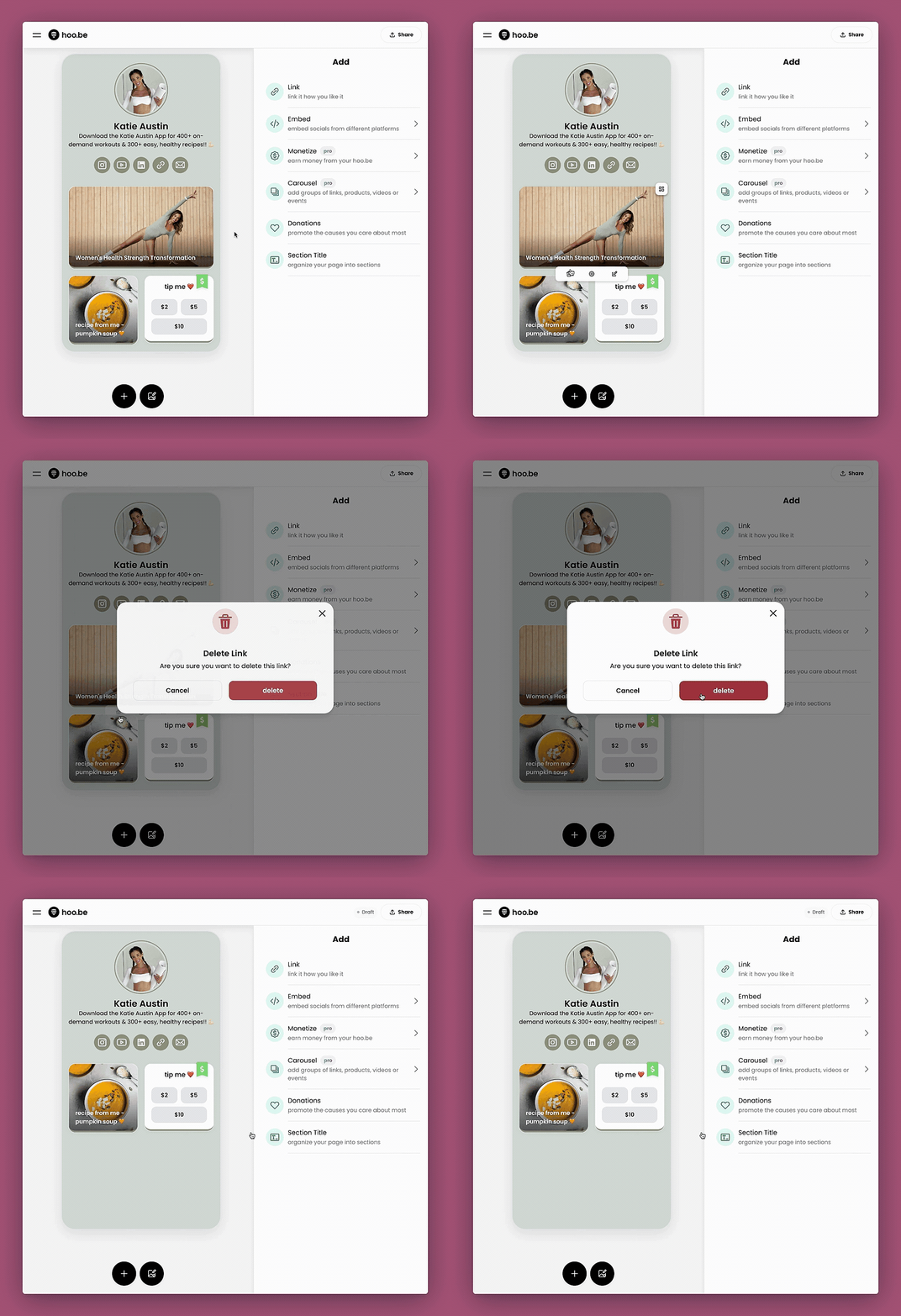
- Sign in to your hoo.be page → hoo.be/login
- Hover over the link you want to delete.
- Click the trash 🗑️ icon to delete it instantly.
- Or, click the gear ⚙️ icon to open link settings and select “Delete” from there.
- Confirm the deletion, and you’re all set!
📌 Pro Tip: Deleting a link removes it permanently. If you might need it later, consider saving it as a draft instead.
Need help? Contact hi@hoo.be.