Want to create a link and wait until a release (or later date) to publish? Use the drafts feature to save your links until you're ready to go live!
How to Save a Draft
- Click the “+” button to add a new element to your page.
- Choose the type of link you’d like to create.
- Fill out the details or paste the URL for the content you want to add.
- Hover over the link and click the gear icon ⚙️.
- Select “Save as Draft”—your link is now saved and won’t appear on your live page until you publish it.
How to View, Publish, or Delete a Draft
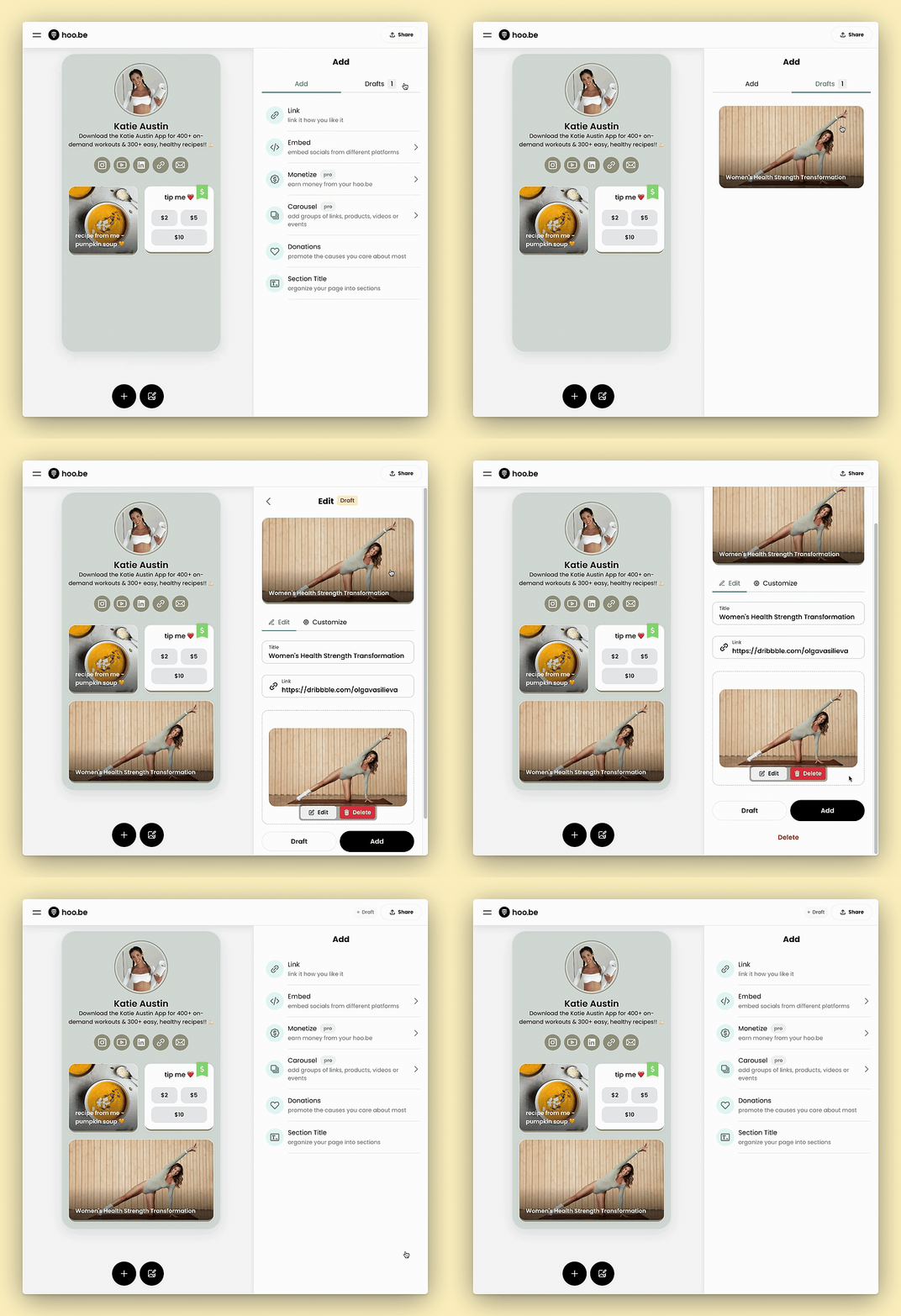
- Click the “+” button to open the Add panel.
- Select the "Drafts" tab at the top.
- View all saved drafts in this section.
- To publish, click the draft and select “Publish” to make it live.
- To delete, click the trash icon 🗑️ next to the draft.
📌 Pro Tip: You can edit and customize your drafts before publishing!
Questions? Contact us at hi@hoo.be.