Easily rearrange your links to highlight your most important or recent content!
How to Move a Link
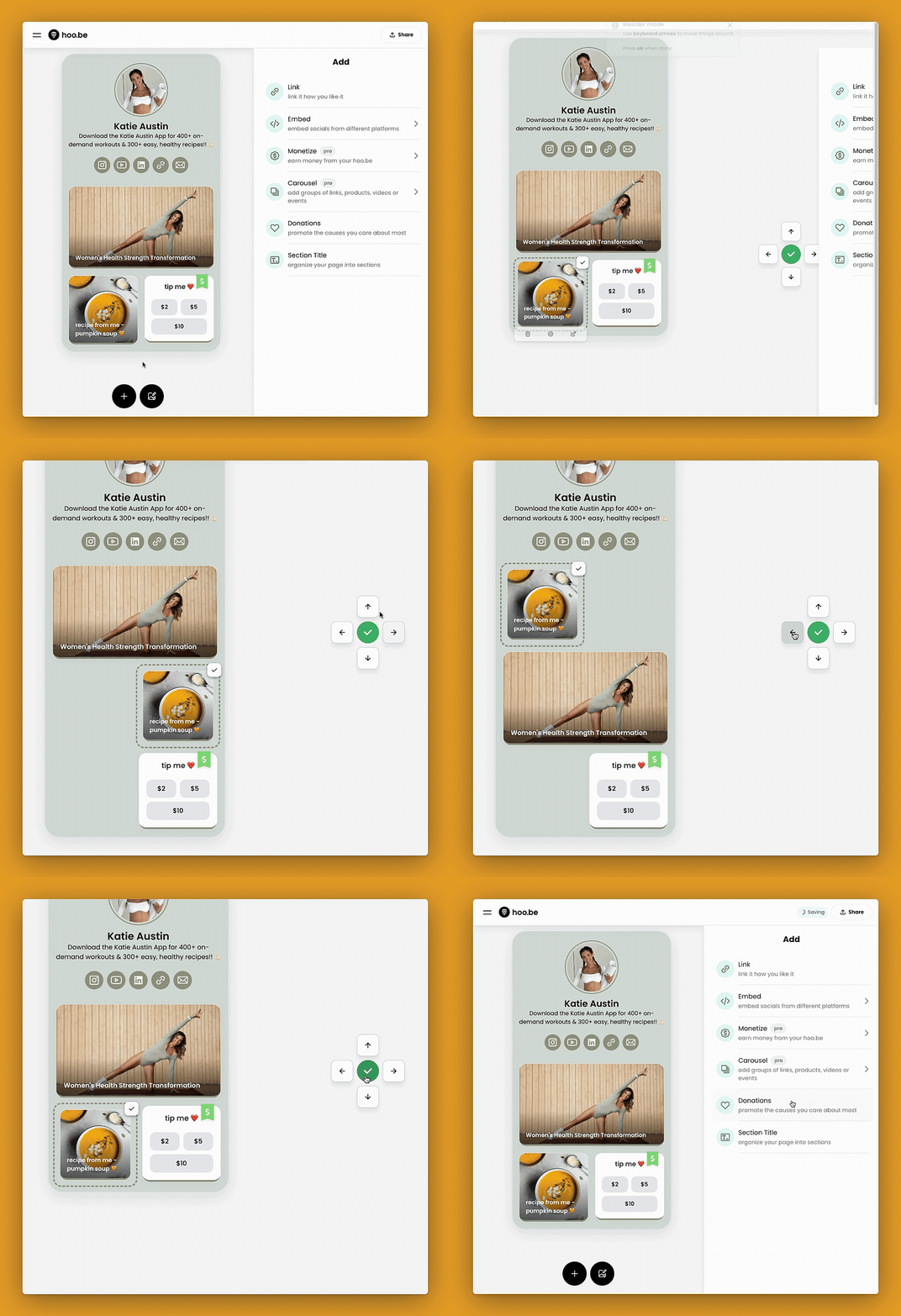
- Hover over the link you want to move.
- Click the tile icon in the upper right corner to open the move controls.
- Use the arrow buttons to reposition your link anywhere on your page.
- Once you’re happy with the new placement, press the green checkmark ✅ to confirm.
📌 Pro Tip:
- You have full control over your layout—move any link anywhere without restrictions!
- Play around with positioning to create the best flow for your audience.
Need additional help? Contact hi@hoo.be.