Easily add video content to your hoo.be profile with two different options: linking or embedding.
Option 1: Add a Video Link
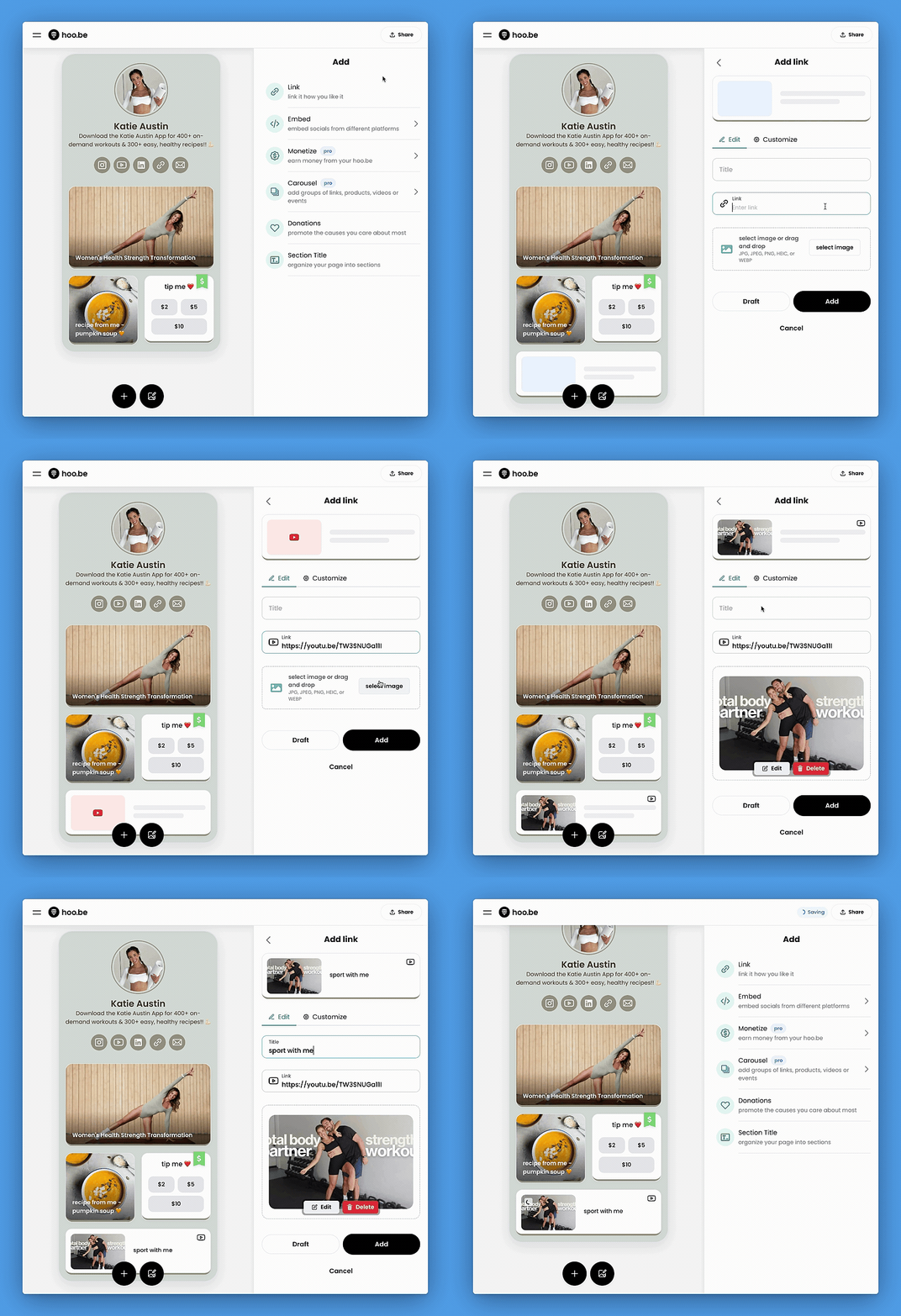
- Click the "+" button.
- Select the first "Link" option.
- Choose a link style and paste a video link from any video platform (YouTube, TikTok, Vimeo, etc.).
- Add a title and adjust any customization settings.
- Click "Add" to publish the video link to your profile.
Option 2: Embed a Video (YouTube & Vimeo Only)
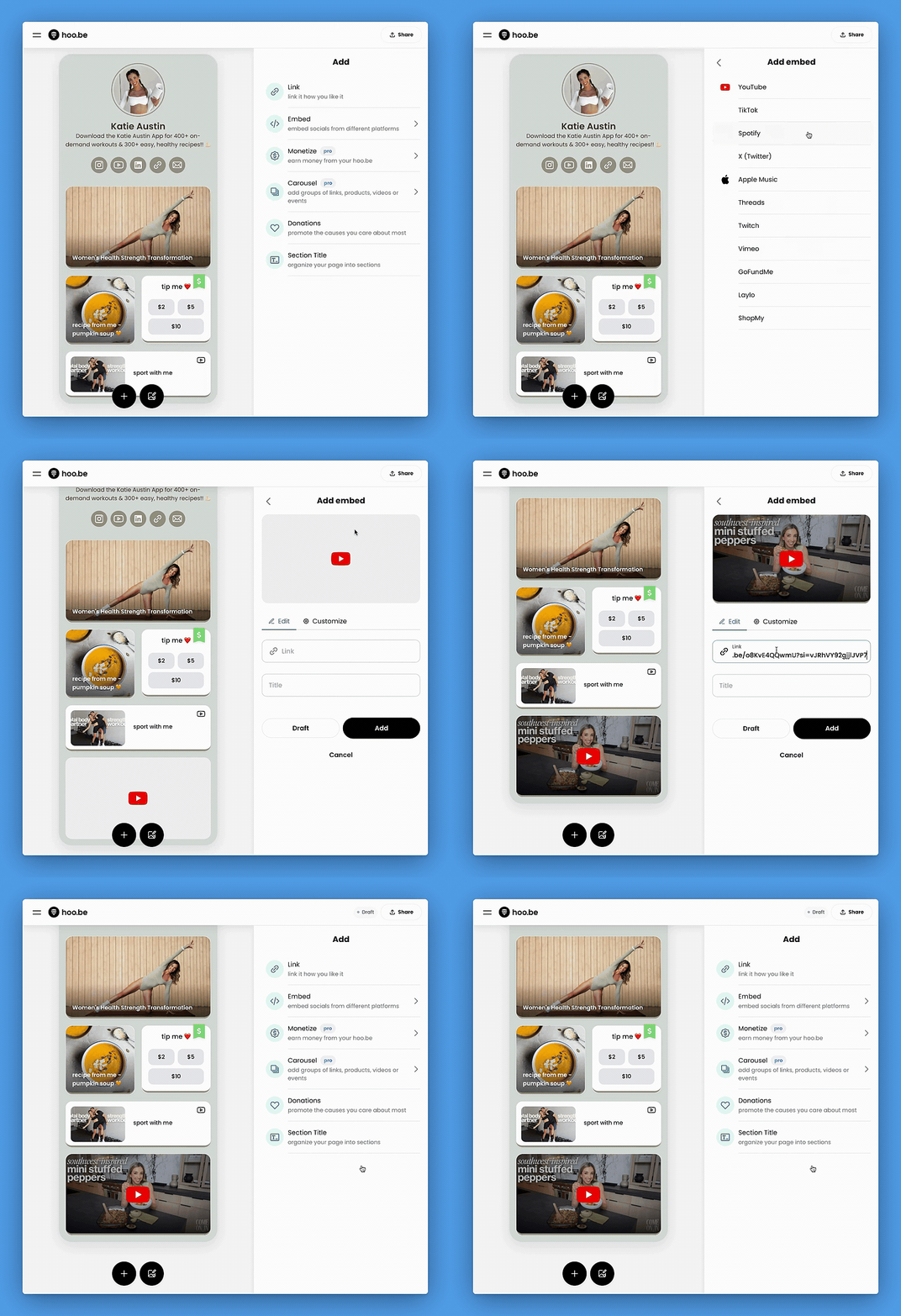
- Click the "+" button.
- Select "Embed" → Choose YouTube or Vimeo.
- Paste the video link, and the video will play directly on your hoo.be profile.
- Click "Add" to publish.
📢 Pro Tip: Embedded videos increase views by allowing users to watch directly from your hoo.be profile!