Available on Pro Plans Only
With hoo.be Pro, you can collect emails and phone numbers directly from your profile using the Contact Form feature.
Steps to Add a Contact Form:
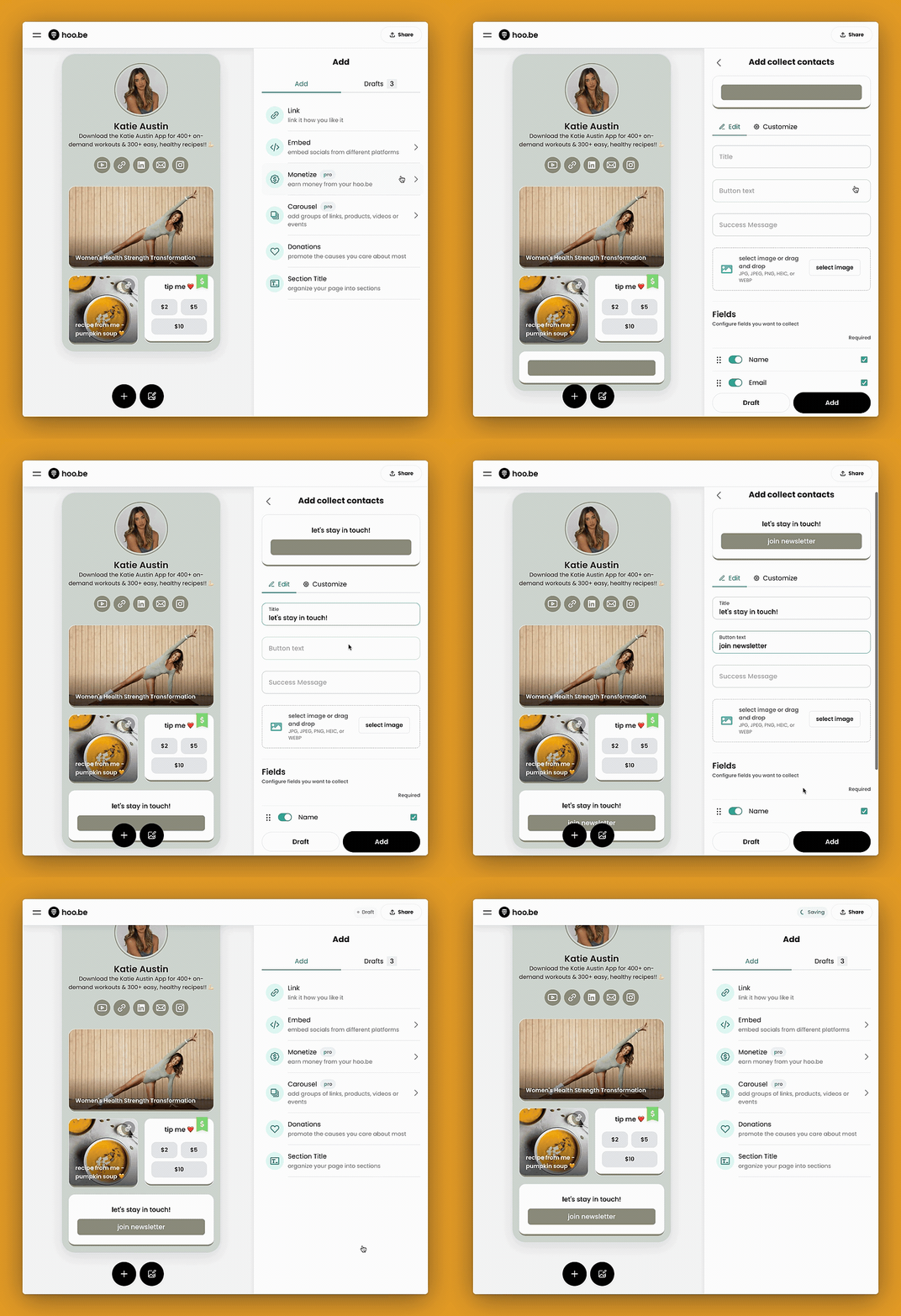
- Click the "+" button on your profile.
- Select "Add Monetization" → Click "Collect Contacts."
- Choose the types of contact information you want to collect (email, phone number, or both).
- Customize your contact form:
- Title – Describe what your form is for.
- Button Text – Personalize the call-to-action.
- Success Message – Set a confirmation message for users who submit their info.
- Image (Optional) – Add an image to enhance the block.
- Click the "Customize" tab to:
- Adjust the layout of the form.
- Customize the height and shape of the block.
- Click "Add" to publish your Contact Form to your profile.
Use your Contact Form to grow your email list, collect leads, or connect directly with your audience.