Available for all account types
Easily manage your contact details and notification preferences in your settings.
Steps to Update Your Email & Phone Number
- Click the menu bar in the top left corner.
- Select "Settings."
- Navigate to the "Private Info" section.
- Update your email or phone number as needed.
Managing Notification Preferences
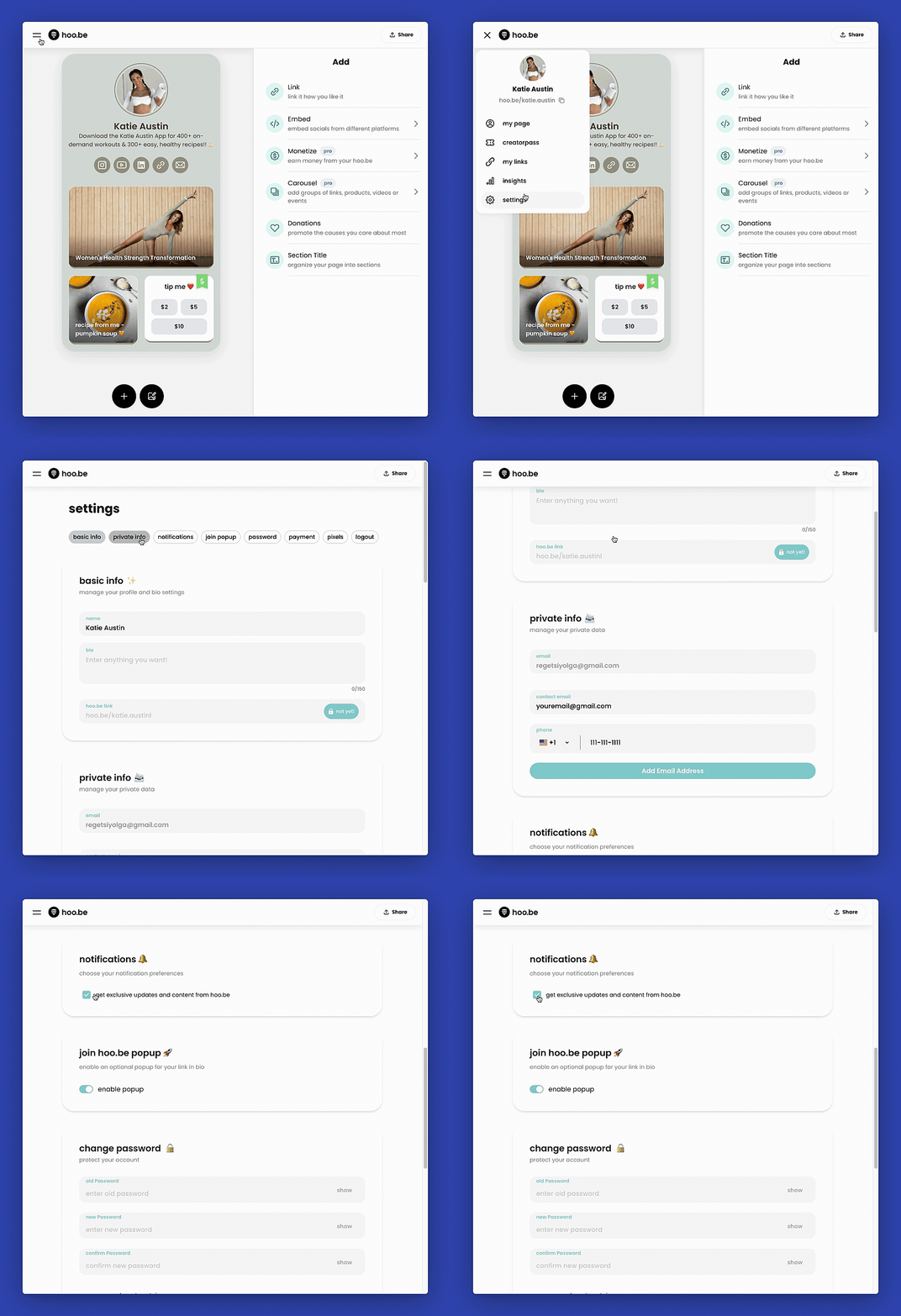
- In "Settings," scroll down to "Notification Preferences."
- Choose which notifications you want to receive.
- Save your changes.