
Available on All Plans
Personalize your hoo.be profile by adding a custom background image to the profile pic and bio section. This allows you to create a unique, branded look that enhances your page’s visual appeal.
Steps to Add a Custom Background:
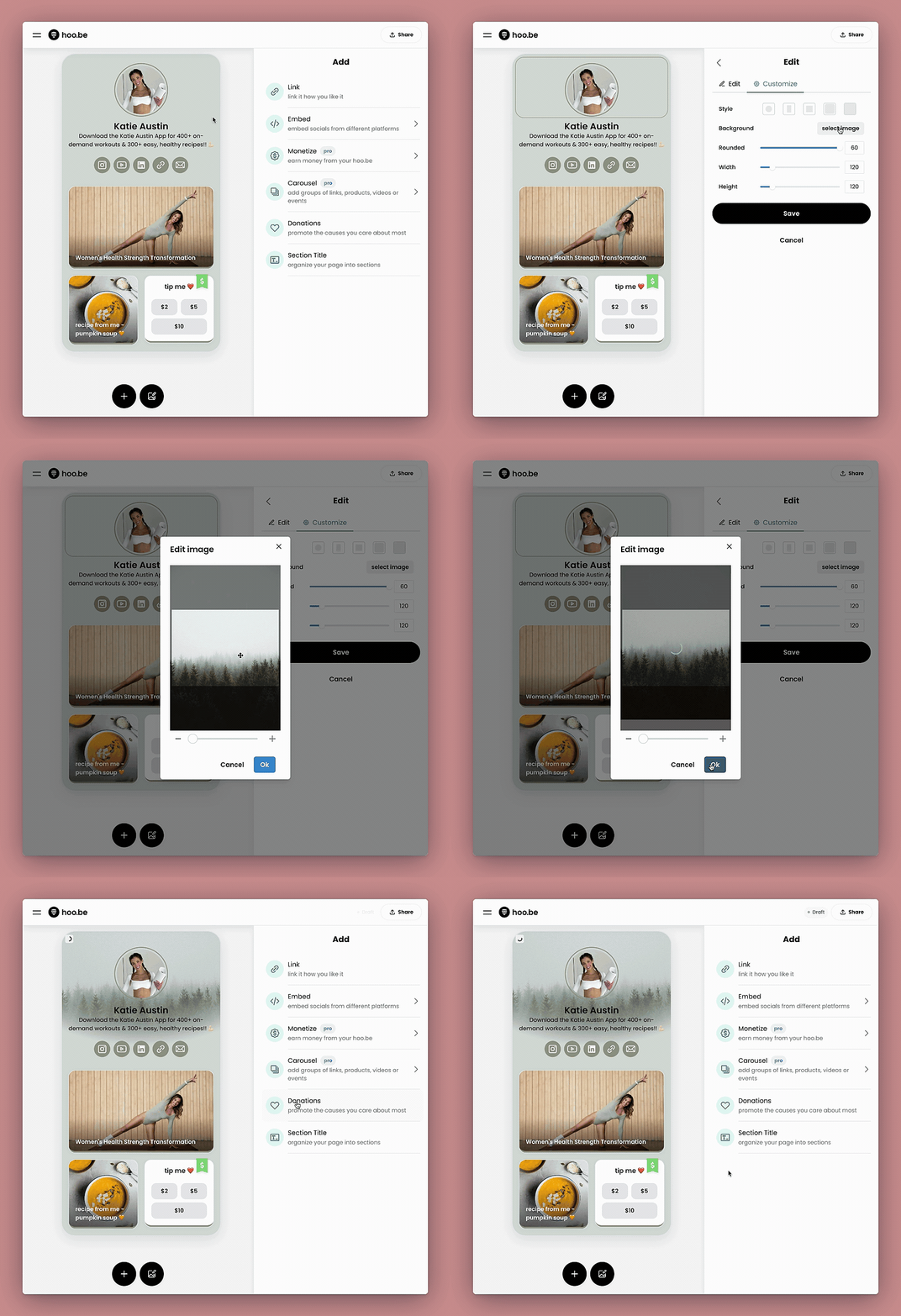
- Hover over the bio section of your profile.
- Click the gear icon or Customize button.
- Under the Background option, click "Select Image" to upload your desired image.
- Adjust the size and positioning of the image as needed.
- Click "OK" to confirm your selection.
- Click "Save" to publish the changes to your profile.
Experiment with different images to find the perfect background that complements your brand!
If you need additional assistance, feel free to reach out to our support team.